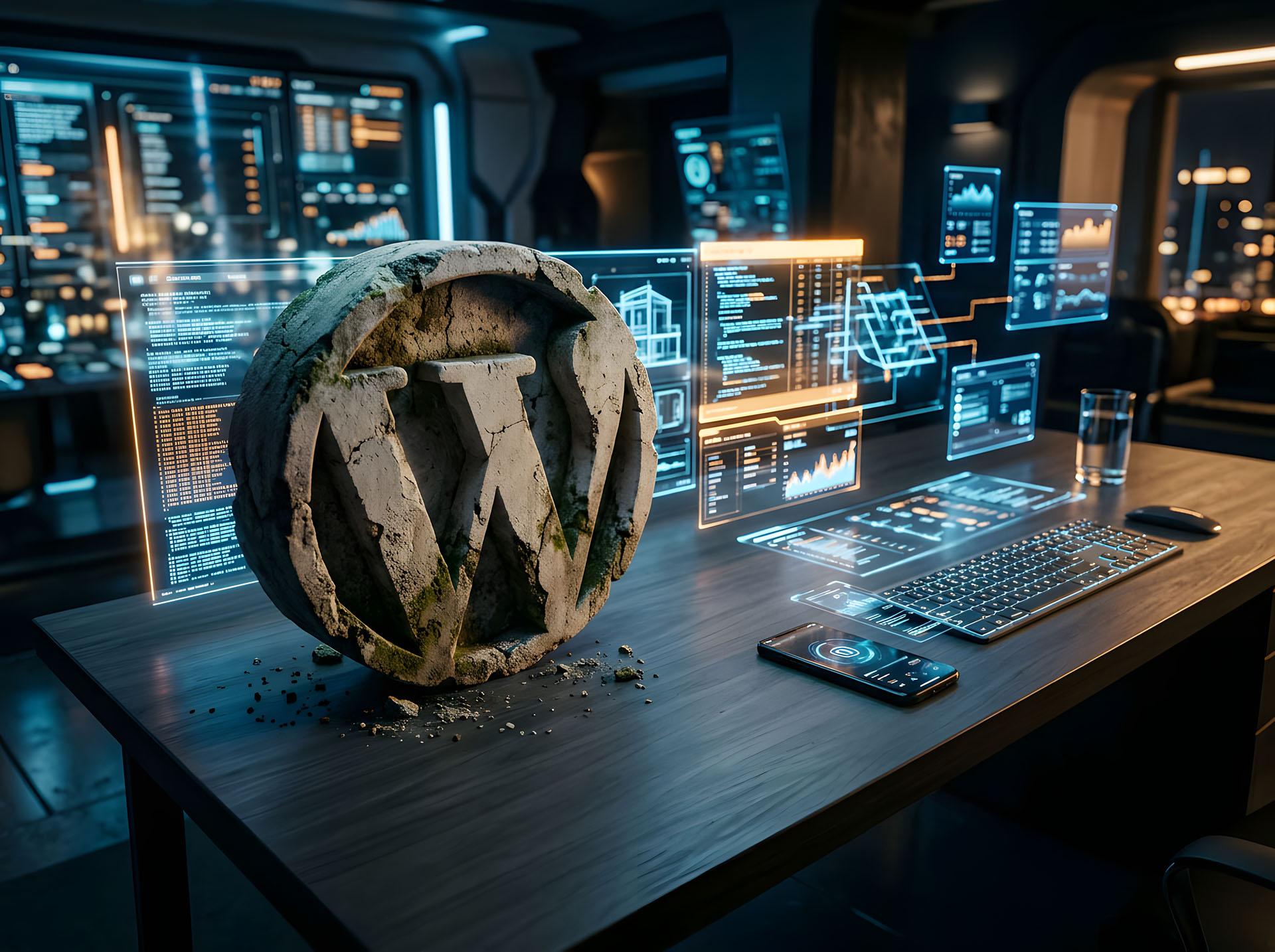
The Elephant in the Room
Let’s be honest for a second.
If you’re a web designer in 2026 and WordPress is still the foundation of everything you do – I’m not here to judge you. I’ve been there. We’ve all been there. WordPress was the thing. It powered our careers, paid our rent, and gave us that satisfying little dashboard login screen that somehow felt like home.
But here’s the uncomfortable truth: home is starting to crumble a little.
And most of us? We’re just rearranging the furniture and pretending the cracks in the walls aren’t there.
There’s something almost philosophical about it, really. We build websites for a living – digital spaces designed to evolve, adapt, and stay relevant – yet when it comes to our own tools and workflows, we cling to what’s familiar like it owes us something. We’ve become so busy maintaining, updating, patching, and fixing that we forgot to stop and ask ourselves the one question that actually matters:
Is this still the best way to do what I do?
Look, I’m not some anti-WordPress crusader standing on a soapbox. I’ve built beautiful things with WordPress. You probably have too. But somewhere between the 47th plugin conflict and the third security scare of the month, a quiet thought started creeping in — the kind of thought you push away because it’s inconvenient.
What if WordPress isn’t the future anymore?
What if we’ve been so busy being busy with it – tweaking, troubleshooting, defending it in Twitter threads – that we missed the landscape shifting right under our feet? As someone once put it, more and more people no longer make or do anything tangible – they just maintain the machinery around the thing itself. And honestly? That’s what WordPress development has started to feel like for a lot of us.
So grab your coffee. Get comfortable. This isn’t a hit piece – it’s a conversation. One that I think our industry desperately needs to have.
The Numbers Don’t Lie: WordPress Market Share Is Slipping
Alright, let’s put the emotions aside for a moment and look at what the data is actually telling us. Because opinions are fun and all – but numbers? Numbers don’t care about your feelings.
Here’s the story in a nutshell.
Back in 2014, WordPress powered roughly 21% of websites using a CMS worldwide. Fast forward to early 2025, and W3Techs showed WordPress sitting at around 43.6% of the CMS market. On paper, that sounds massive – and it is. Nobody’s denying that WordPress is still the biggest player in the room.
But here’s where it gets interesting.
That number has been slipping. Not crashing. Not falling off a cliff. Slipping – slowly, quietly, like sand through your fingers. And if you’ve been paying attention through 2025 and into 2026, the trend is clear: WordPress’s share is declining while SaaS-based website builders are steadily gaining traction.
Now, before the WordPress loyalists come for me – yes, it’s still the dominant CMS. By a long shot. But dominance and momentum are two very different things. One is about where you are. The other is about where you’re heading. And right now? The direction isn’t great.
And it’s not just WordPress feeling the heat. The entire traditional CMS landscape is shifting. Since 2024, Joomla has lost about 16% of its market share, and Drupal has declined by roughly 25%. Together, they once held nearly 14.8% of the CMS market. That’s a significant chunk just… evaporating. The old guard is losing ground across the board.
Meanwhile, platforms like Webflow, Framer, Wix Studio, and Squarespace are quietly picking up the pieces – attracting designers, businesses, and creators who simply don’t want to deal with the overhead that comes with traditional CMS platforms anymore.
There’s also something worth noting about how we read these numbers. There’s a meaningful difference between CMS market share versus total website market share. WordPress powering 43% of CMS-based sites sounds impressive – but when you factor in all websites, including those not using a CMS at all, the picture shifts. It’s a nuance that often gets lost in the WordPress cheerleading.
So what does all of this mean for us as web designers?
It means the ground is moving. It doesn’t mean WordPress is dead tomorrow – but the trajectory is undeniable. And if you’re building your entire freelance career on a platform whose momentum is fading while pretending everything is fine…
Well, that’s a choice. Just make sure it’s a conscious one.
The Rise of No-Code and AI-Powered Website Builders
Remember when building a website meant you either knew how to code – or you knew someone who did? Those were simpler times. Stressful, expensive, and painfully slow – but simpler.
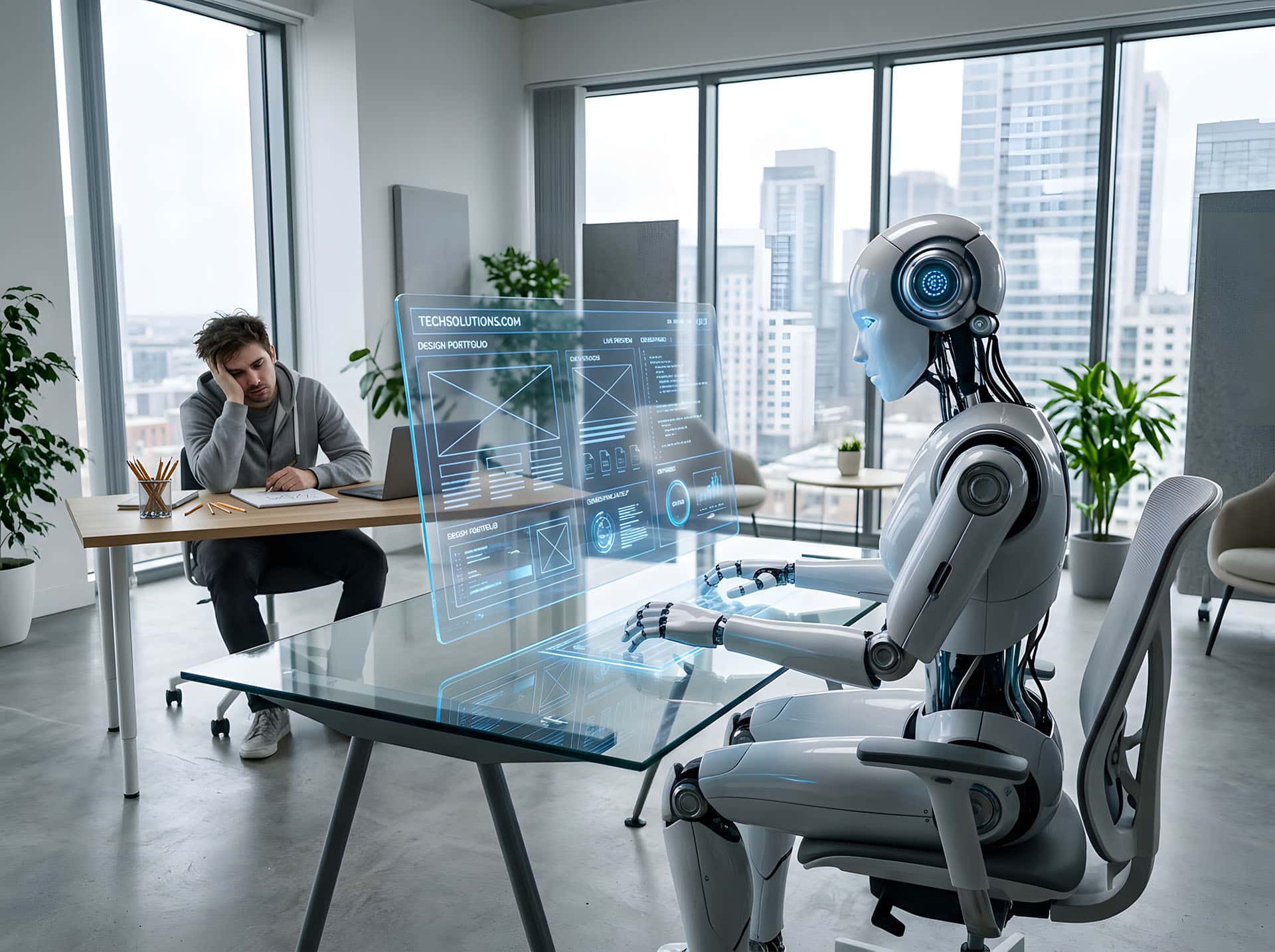
Now? Now your client’s 19-year-old nephew can spin up a decent-looking website in an afternoon using Framer and an AI prompt. And honestly? It probably loads faster than the WordPress site you spent three weeks building.
Welcome to the no-code era. Pull up a chair.
The shift has been coming for a while. No-code and low-code platforms started gaining serious traction during the COVID pandemic, when scattered remote teams needed fast, accessible solutions and couldn’t afford to wait around for traditional development cycles. But here’s the thing – that momentum never stopped. It just kept accelerating.
And the numbers back it up. According to Bubble’s 2024 State of No-Code Report, 64% of no-code users believe that by 2030, the majority of developers will primarily be using no-code solutions to create software applications. Forbes has projected a 28.3% compound annual growth rate for the no-code AI platform industry from 2023 to 2033. And TechRadar predicts that no-code and low-code will account for more than 65% of all future software development.
Let that sink in for a second. More than 65%.
Now layer AI on top of that – because that’s exactly what’s happening.
Since late 2022, search interest in terms like “AI app builder” and “AI website builder” surged dramatically and has settled into a steady, ongoing demand. Platforms like Webflow, Framer, Wix Studio, and Bubble aren’t just offering drag-and-drop anymore – they’re integrating AI-powered features that can generate layouts, write copy, build workflows, and even provide step-by-step guidance customized to your specific project. In April 2025, even WordPress got in on the action with a new AI-powered website builder tool designed to let users create sites without touching a single line of code.
Which is kind of ironic when you think about it. WordPress – the platform that built its empire on themes, plugins, and PHP customization – is now trying to compete by… removing the need for all of that.
Here’s where it gets philosophical again.
The old model of web design was built on scarcity. You had specialized knowledge. You understood code, servers, databases, DNS records – mysterious things that normal people didn’t want to deal with. That knowledge gap was your value proposition. Your entire business model, really.
But no-code and AI are dissolving that gap at an alarming speed. As Bubble’s VP of Product Allen Yang put it: “People are talking less about no-code and they’re thinking more about the outcomes they want. They’re looking for software that manifests their business idea and empowers them to move quickly.”
People don’t care about the tool anymore. They care about the result. And if an AI-powered no-code platform can get them there faster, cheaper, and without a single support ticket about a broken plugin – why wouldn’t they take that route?
And it’s not just hobbyists and small business owners making this shift. Startups are going all in. According to Bubble’s research, 80% of founders plan to bootstrap their businesses, and no-code is the engine making that possible. Startups are building MVPs in weeks instead of months. Some are scaling to thousands of users without ever hiring a traditional developer. The concept of “seed strapping” – raising a small round of funding and then using AI-driven tools instead of large teams to become cash-flow positive – is becoming a legitimate business strategy.
The game has changed. And it changed while most of us were busy updating plugins.
Now, I want to be clear – I’m not saying these platforms are perfect. They have limitations. Complex functionality, advanced custom logic, heavy database work – there are still areas where traditional development holds an edge. And there’s a very real conversation to be had about platform dependency. When you build on someone else’s no-code platform, your entire business is tied to that company’s existence. If they go down, your work could go with them.
But here’s the uncomfortable reality: for the vast majority of websites that freelance designers build – portfolios, business sites, landing pages, small e-commerce stores – no-code and AI tools are becoming not just viable alternatives, but genuinely better ones.
Faster to build. Easier to maintain. Better performance out of the box. No security patches at 2 AM.
The question isn’t whether these tools are coming for our work. They’re already here. The question is what we’re going to do about it.
And if your answer is “just keep doing what I’ve always done” – well, we need to talk about that too. Which brings us to the next section.
The Plugin Problem: A House of Cards
Here’s the thing about WordPress plugins – they’re kind of like that one friend who’s incredibly fun at parties but absolutely terrible with money. You love what they bring to the table. You just can’t fully trust them with anything important.
And yet, that’s exactly what we’ve been doing. For years. With our clients’ websites. With their data. With their businesses.
Let’s talk about it.
WordPress has over 60,000 plugins. That’s an incredible ecosystem. Need a contact form? Plugin. Need SEO tools? Plugin. Need to make your site do literally anything beyond existing? You guessed it – plugin. The entire WordPress experience is essentially stacking third-party code on top of third-party code on top of a core system and hoping everything plays nice together.
Sometimes it does. Sometimes it very much does not.
The Security Nightmare Nobody Wants to Face
According to Patchstack’s 2026 State of WordPress Security whitepaper, 11,334 new vulnerabilities were discovered in the WordPress ecosystem in 2025 alone. That’s a 42% increase compared to 2024 – which itself had already seen 7,966 new vulnerabilities, a 34% jump from the year before.
Let me say that again. Eleven thousand, three hundred and thirty-four new security vulnerabilities. In one year.
And here’s the kicker – 91% of those vulnerabilities were found in plugins. Not in WordPress core. Not in themes. In plugins. The very things that make WordPress… WordPress.
Only 6 vulnerabilities were reported in the WordPress core itself, and those were low priority. So when someone tells you “WordPress is secure,” they’re technically right – the core is relatively solid. But nobody runs just the core. That would be like buying a car and never putting wheels on it.
It Gets Worse
Of all the vulnerabilities discovered in 2025, 1,966 had high severity scores – meaning they were likely to be exploited in automated mass-scale attacks. That’s more high-severity vulnerabilities than the previous two years combined.
And how fast do attackers move once a vulnerability is made public? According to Patchstack’s research, the median time to mass exploitation for heavily targeted vulnerabilities is just 5 hours. Five. Hours. Not days. Not weeks. Hours.
So let me paint the picture for you. A vulnerability gets disclosed. Within five hours, attackers are already exploiting it at scale. And your defense? Hoping your client remembered to click “update” on their plugins.
That’s not a security strategy. That’s a prayer.
The Update Problem
Speaking of updates – you’d think that plugin developers would at least patch vulnerabilities quickly once they’re reported, right?
Wrong. 46% of vulnerabilities did not receive a fix from the developer in time for public disclosure. Nearly half. That means the vulnerability becomes public knowledge – available to every attacker on the planet – before there’s even a patch available to protect against it.
So even if you’re diligent about updates, even if you’ve trained your clients to keep everything current, there’s a coin-flip chance that the fix simply doesn’t exist yet when the threat does.
Premium Doesn’t Mean Safe
And before you think “well, I only use premium plugins, so I’m fine” – think again. Patchstack’s research into premium WordPress components found that 76% of vulnerabilities discovered in premium plugins were exploitable in real-life attacks. Premium components actually had three times more Known Exploited Vulnerabilities than free ones.
Why? Because premium plugins receive less scrutiny from security researchers – their code isn’t as readily accessible. Less scrutiny doesn’t mean better security. It means hidden problems.
The House of Cards
Here’s where the philosophical part comes in.
Every WordPress site is essentially a tower of dependencies. Your theme depends on certain functions. Your plugins depend on each other. Your page builder depends on compatibility with your hosting environment. One update breaks another plugin. One plugin conflict crashes your checkout page. One unpatched vulnerability opens the door to an attacker who plants malware that – according to Monarx’s research – can now run in server memory and automatically reinfect files the moment you clean them.
That’s not a website. That’s a house of cards in a wind tunnel.
And we – as web designers – are the ones telling our clients “don’t worry, I’ve got this handled.” Do we though? Are we really equipped to monitor 11,000+ new vulnerabilities a year, ensure patches exist and are applied within five hours, and deal with malware that’s specifically designed to evade detection and survive cleanup?
Or are we just… maintaining the machinery and hoping for the best?
I think you already know the answer to that one.
Let’s keep going.
Security, Speed, and the Maintenance Nightmare
If the plugin ecosystem is a house of cards, then WordPress maintenance is the full-time job of making sure nobody breathes too hard near it.
And let me tell you – it’s exhausting.
I know because I’ve lived it. You’ve probably lived it too. That lovely Sunday morning where you’re sipping your coffee, minding your own business, and then your phone buzzes. Client email. Subject line: “URGENT: Website is down.”
Your heart sinks. Your coffee goes cold. Your Sunday is gone.
Welcome to the WordPress maintenance experience.
The Hidden Cost Nobody Talks About
Here’s what the WordPress sales pitch sounds like: “It’s free! It’s open source! Anyone can use it!”
Here’s what they don’t mention: the ongoing, never-ending, soul-crushing cost of keeping the thing alive and healthy after you’ve built it.
We’re talking about:
- Core updates – multiple times a year
- Plugin updates – sometimes multiple times a week
- Theme updates – that occasionally break everything
- PHP version compatibility – because your host upgraded and now half your plugins don’t work
- SSL certificate renewals
- Database optimization
- Backup management
- Malware scanning and cleanup
- Spam filtering
- Uptime monitoring
That’s not web design. That’s system administration. And most of us didn’t sign up to be sysadmins. We signed up to create beautiful, functional websites. Instead, we’ve become full-time babysitters for a CMS that demands constant attention.
The Speed Problem
Let’s talk about performance for a second – because this one really gets under my skin.
A freshly installed WordPress site? Reasonably fast. Clean. Lightweight. Almost pleasant.
A WordPress site after six months of real-world use? Plugins stacked on plugins. Render-blocking scripts. Unoptimized images. Database bloat from post revisions nobody asked for. Third-party scripts from that analytics plugin your client insisted on. A page builder adding 300KB of CSS that loads on every single page whether it’s needed or not.
And then what do we do? We install another plugin to fix the speed problem that plugins created in the first place. A caching plugin. A minification plugin. An image optimization plugin. A database cleanup plugin.
It’s plugins all the way down.
Meanwhile, platforms like Webflow and Framer are shipping sites that score 95+ on PageSpeed Insights out of the box. No caching plugins. No optimization hacks. No praying to the Google Core Web Vitals gods. Just… fast websites. By default.
There’s something almost absurd about spending hours optimizing a WordPress site to achieve what other platforms give you for free before you’ve even started designing.
The Maintenance Nightmare Is Real – And It’s Getting Worse
Here’s the part that doesn’t get discussed enough in our industry. As one developer community discussion put it – imagine inheriting a massive codebase with over 200 dependencies, and that’s just the direct ones. That’s not a hypothetical. That’s a real WordPress site with a page builder, a handful of WooCommerce extensions, an SEO suite, a forms plugin, a security plugin, and whatever else got added along the way.
Every single one of those dependencies is a potential point of failure. Every update is a risk. Every compatibility issue is a support ticket. And the technical debt? It accumulates silently, like dust in a server room, until one day the whole thing just… chokes.
And now – in 2026 – we’re adding AI-generated code into the mix. Developers and designers are using AI tools to customize themes, write custom functions, and build plugin modifications faster than ever. But as recent research has shown, this speed comes at a cost measured in security vulnerabilities, technical debt, and maintenance nightmares that may not surface until much later. The code works today. Whether it works – or remains secure – six months from now is a very different question.
So What Are We Actually Selling?
This is where it gets a bit philosophical again.
When you sell a WordPress website to a client, what are you really selling them? A beautiful design? A functional business tool? Or an ongoing dependency on you – or someone like you – to keep the lights on?
Because here’s the uncomfortable truth: a significant chunk of freelance WordPress income doesn’t come from building websites. It comes from maintaining them. Monthly retainers. Care plans. “WordPress maintenance packages.”
And on one hand – great, recurring revenue. On the other hand – is that really the best use of your creative energy? Updating plugins and running backups for 15 clients every month?
At some point you have to ask yourself: am I a web designer or a digital janitor?
No shade to janitors. They keep the world running. But it’s probably not why you got into this field.
Something to think about. Let’s move on.
Gutenberg Was Supposed to Save WordPress – Did It?
Ah, Gutenberg. The great hope. The chosen one. The editor that was going to modernize WordPress, make page builders obsolete, and finally bring the platform into the modern era of web design.
So… how’s that going?
The Promise
Let’s rewind for a second. When Gutenberg was first introduced back in 2018, the pitch was compelling. WordPress needed a modern editing experience. The classic editor – bless its heart – was essentially a glorified text box from 2004. Meanwhile, platforms like Squarespace and Wix were offering sleek, visual, drag-and-drop interfaces that made WordPress look like it was stuck in a time capsule.
Gutenberg was supposed to change all that. A block-based editor that would let users build rich, dynamic layouts without needing a page builder plugin. It was supposed to be the thing that kept WordPress competitive. The thing that made newcomers say “oh, this is actually nice to use” instead of “wait, where do I even click?”
It was supposed to save WordPress.
The Reality
Fast forward to 2026 and the picture is… complicated.
On paper, Gutenberg has come a long way. Full Site Editing is here. Block themes exist. The Site Editor lets you customize headers, footers, templates – things that used to require diving into PHP files or buying a premium theme framework. That’s genuine progress. Credit where credit is due.
But here’s the thing nobody in the WordPress inner circle wants to say out loud: most people still don’t love using it.
The user experience remains one of the most debated topics in the entire WordPress community. And “debated” is putting it politely. As one prominent WordPress developer put it, the focus should be on power users who use WordPress every day – because that’s where adoption of block themes and the block editor will actually grow. Which sounds reasonable until you realize that’s essentially an admission that casual users and newcomers – the people WordPress needs to attract to stay relevant – aren’t really the priority.
And that’s a problem. A big one.
The WYSIWYG Trap
Here’s where it gets a bit more nuanced – and honestly, a bit more philosophical.
Gutenberg leans heavily into the WYSIWYG approach – What You See Is What You Get. Sounds great in theory. But as critics have fairly pointed out, there’s a fundamental tension in any WYSIWYG editor between data and content. When you mix the two – when your visual layout tool is also your content management tool – things get messy. Your content becomes tied to your presentation. Your data gets tangled up in your design decisions.
And ironically, this is the exact same criticism that was leveled at page builders like Elementor and Divi for years. The WordPress community spent a decade complaining that page builders created bloated, locked-in, non-portable content. And then what happened?
As one developer bluntly observed: “With the Gutenberg block editor, WordPress introduced its own Framer/Wix/Divi/Elementor equivalent with the exact same problems.”
Let that marinate for a second.
The solution to the page builder problem… was another page builder. Just one that’s baked into core. With the same content portability issues. The same learning curve frustrations. The same tension between flexibility and simplicity.
The Adoption Problem
And then there’s the adoption question. Block themes – the themes specifically designed to work with Full Site Editing – are still a fraction of the WordPress theme ecosystem. The community remains deeply split. Some designers have gone all in on blocks. Others are clinging to classic themes and page builders like life rafts. And a not-insignificant number have simply looked at the whole situation and said “you know what, I’ll just use Webflow.”
The reality is that after nearly eight years of development, Gutenberg still hasn’t achieved what it set out to do – which was to unify the WordPress experience around a single, modern, intuitive editing paradigm. Instead, it’s added another layer of fragmentation to an already fragmented ecosystem.
You’ve now got classic editor users, Gutenberg block editor users, page builder users, Full Site Editing users, and people using some Frankenstein combination of all of the above. That’s not unity. That’s chaos with a roadmap.
So Did Gutenberg Save WordPress?
Honestly? It’s too early to call it a failure – but it’s definitely too late to call it a success.
Gutenberg improved WordPress. There’s no question about that. But “improved” and “saved” are very different words. Improving something means making it better than it was. Saving something means making it competitive enough to survive what’s coming.
And what’s coming – as we’ve already discussed – is a wave of AI-powered, no-code platforms that are faster to learn, easier to use, and don’t require you to debate the philosophical merits of blocks versus shortcodes in a community forum at 1 AM.
Gutenberg gave WordPress a fighting chance. Whether the community actually takes that chance – or spends another eight years arguing about it – remains to be seen.
Onward.
The Matt Mullenweg / WP Engine Fallout and What It Revealed
You know that moment at a family dinner when two people start arguing and suddenly every unspoken tension from the last twenty years comes pouring out?
That’s basically what happened to WordPress in late 2024. Except the family dinner was the entire internet, and the argument shook the foundation of a platform that powers over 40% of the web.
If you missed it – buckle up. This one’s a ride.
The Short Version
In September 2024, Matt Mullenweg – co-creator of WordPress, CEO of Automattic, and effectively the person who controls WordPress.org, the WordPress Foundation, and WordPress.com – went to war with WP Engine, one of the largest WordPress hosting companies on the planet.
What started as a dispute over trademark licensing and community contributions escalated into something nobody saw coming. Lawsuits. Hostile plugin takeovers. Employees fleeing the company. Community members getting banned. And a very public meltdown that made the entire WordPress ecosystem feel suddenly, terrifyingly fragile.
How It Started
The conflict began when Automattic approached WP Engine with a licensing deal – reportedly demanding 8% of WP Engine’s gross revenue, amounting to tens of millions of dollars per year. WP Engine declined, presumably because the legal basis for such a demand was questionable at best. The term “WP” isn’t covered by the WordPress trademark policy, and dozens of other companies use it freely without issue.
When WP Engine didn’t pay up, things escalated fast. Matt used his keynote at WordCamp US – the biggest WordPress event of the year – to publicly blast WP Engine. He published a post titled “WP Engine is not WordPress” on WordPress.org, which then got syndicated to every WordPress admin dashboard in the world.
Think about that for a second. The supposedly neutral, nonprofit arm of WordPress was being used to broadcast a hit piece against a specific company – one that happens to be a direct competitor of Matt’s own for-profit business.
That’s not community leadership. That’s using the public square as a weapon.
Then It Got Worse
What followed was a cascade of escalations that left the community stunned:
- WordPress.org blocked WP Engine from accessing the plugin repository entirely. Millions of sites couldn’t update their plugins – creating real security vulnerabilities for real businesses, nonprofits, and government agencies.
- Matt commandeered Advanced Custom Fields (ACF) – one of the most popular plugins in WordPress history, maintained by WP Engine – rebranding it as “Secure Custom Fields” without the developers’ consent. As the ACF team stated: “A plugin under active development has never been unilaterally and forcibly taken away from its creator without consent in the 21-year history of WordPress.”
- Automattic later released ACF Pro’s paid features for free through the stolen plugin, bypassing the normal plugin approval process entirely. Members of the WordPress.org plugin review team said anonymously they would have rejected it for violating multiple guidelines.
- 159 Automattic employees accepted buyout packages to leave the company – roughly 10% of the workforce – including Josepha Haden Chomphosy, the Executive Director of the WordPress project, widely regarded as one of the most respected figures in the community.
- Matt intercepted employee emails from Blind, the anonymous workplace discussion platform, redirecting them to himself without telling anyone. A Blind spokesperson said they had “never seen a CEO or executive try to limit their employees from signing up for Blind by redirecting emails.”
- Community members were banned from WordPress.org for criticizing Matt’s actions. WordCamp organizers were pressured to hand over social media credentials and remove pro-WP Engine content.
- Matt retroactively changed the WordPress trademark policy to target WP Engine – without notice or community input. As one observer noted: “It’s extremely bad news when the company you’re doing business with can just decide what the new terms are with no warning or recourse.”
The Courtroom
WP Engine filed suit against Matt and Automattic, alleging extortion, abuse of power, trademark violations, and anti-competitive behavior. The legal filing was packed with screenshots of Matt’s own messages – his strategy of “scorched earth” and going “nuclear” documented in his own words.
In December 2024, WP Engine won a preliminary injunction. The court ordered Automattic to restore WP Engine’s access to WordPress.org, return control of ACF, take down a customer-tracking website Automattic had built to monitor WP Engine’s losses, and remove the anti-WP Engine checkbox from the WordPress.org login screen.
Matt’s response in the WordPress Slack? He changed his username to “Gone,” blacked out his avatar, and posted: “It’s hard to imagine wanting to continue working on WordPress after this.”
He also added a middle finger emoji to another user’s message.
This is the person who controls the infrastructure that powers nearly half the web.
What It Really Revealed
Here’s the thing – and this is the part that matters most for anyone building their career on WordPress.
The WP Engine drama wasn’t just corporate beef. It was a stress test of WordPress’s governance structure. And the results were catastrophic.
It revealed that one person controls everything. WordPress.org, the plugin repository, the theme directory, the news feed that appears in every WordPress dashboard, the Foundation, the trademark – it all traces back to Matt Mullenweg. There are no meaningful checks and balances. The Foundation’s board has three members, and Matt appears to be the only active one.
It revealed that WordPress.org is not what we thought it was. Most of us believed – reasonably – that WordPress.org was a neutral, community-governed resource. It turns out it’s privately owned by Matt, and he can do whatever he wants with it. His own legal team argued in court that WordPress.org is his personal website. Let that sink in. The plugin repository that millions of sites depend on for security updates is, legally speaking, one guy’s personal project.
It revealed that the open-source promise has limits. WordPress core might be open source, but the ecosystem around it – the repository, the update infrastructure, the community spaces – is controlled by a single entity with massive conflicts of interest. As one prominent community voice put it: “Zero businesses would’ve been built on this software if it had been clear that anyone and everyone’s fortunes were subject to the whims of a petty, childish narcissist.”
It revealed that trust, once broken, is almost impossible to rebuild. Developers started pulling their plugins from WordPress.org. When Paid Memberships Pro announced they were leaving, Matt personally threatened to take over their listing – just like he did with ACF. The developer’s response said everything: “The fact we have to even ask whether Matt might retaliate is why we have to make this move.”
The Philosophical Bit
Here’s where I get a little reflective – because I think this story is about more than just WordPress.
We built our careers on a platform that we believed was governed by principles. Open source. Community first. Democratizing publishing. Those weren’t just marketing slogans – they were the reason many of us chose WordPress in the first place.
And then we watched one person – one person with unchecked power and a personal grudge – use that platform as a weapon. Against a competitor. Against community members. Against his own employees.
It’s a reminder that no matter how noble the mission statement sounds, governance matters. Structure matters. The question of “who actually controls this thing?” matters – and it’s a question most of us never thought to ask until it was too late.
Into 2025, Matt continued escalating. In January, he announced Automattic would dramatically reduce its contributions to the WordPress open-source project – down to just 45 hours per week – blaming WP Engine’s “legal attack” for the decision. The irony of the man who started a war over insufficient community contributions then pulling his own contributions was apparently lost on him.
He also published a post “announcing” a WordPress fork called “JKPress” – which didn’t actually exist – and used it as a pretext to ban several prominent community critics from WordPress.org.
So Where Does That Leave Us?
As of early 2026, the legal battles are still playing out. The community remains fractured. Trust in WordPress’s governance is at an all-time low. And the question that hangs over everything is the same one that’s been hanging there since September 2024:
Can WordPress survive its own leadership?
I honestly don’t know. What I do know is that if you’re a web designer building your entire business on a platform where one person can flip a switch and cut off your clients’ access to critical security updates – that’s a risk you need to be aware of.
Not a hypothetical risk. Not a theoretical risk. A thing that actually happened. To real businesses. With real consequences.
Something to sit with. Let’s keep going.
Where WordPress Still Makes Sense (Being Honest)
Alright. I’ve spent the last several sections poking holes in WordPress like it owed me money. And while I stand by everything I’ve said – the security concerns, the maintenance headaches, the governance crisis, all of it – I’d be a hypocrite if I didn’t stop and acknowledge something important.
WordPress isn’t dead yet. And for certain use cases, it’s still genuinely the right choice.
See, this is what separates a thoughtful critique from a hit piece. I’m not here to bury WordPress. I’m here to have an honest conversation about where it fits in 2026 – and where it doesn’t. So let’s talk about where it still shines.
Content-Heavy Websites and Blogging
This is where WordPress was born, and honestly? It’s still where it lives most comfortably.
If you’re building a content-heavy website – a news publication, a magazine-style blog, a resource library with hundreds or thousands of posts – WordPress remains incredibly hard to beat. The content management workflow, the taxonomy system, categories, tags, custom post types – it’s all built for exactly this purpose.
No-code platforms like Framer and Webflow are beautiful for marketing sites and portfolios. But try managing 5,000 blog posts with complex categorization on Framer. It’s not what those tools were designed for. WordPress was literally born for this.
Large-Scale E-Commerce with WooCommerce
Now, I’ll be the first to admit that WooCommerce can be a maintenance nightmare. But for certain e-commerce scenarios – particularly ones that require deep customization, complex product configurations, multi-vendor setups, or integration with specific business systems – WooCommerce still offers a level of flexibility that Shopify and other SaaS platforms can’t always match.
The key word there is flexibility. If you need a straightforward online store with 50 products, Shopify is probably the smarter choice. But if you need something highly customized with specific business logic, tax configurations, or inventory management workflows – WooCommerce gives you the freedom to build exactly what you need.
Freedom that comes with responsibility, sure. But freedom nonetheless.
Clients Who Need Full Ownership and Control
This one matters more than people realize.
When you build on Webflow, Framer, Wix, or Squarespace – you’re renting space on someone else’s platform. Your site exists within their ecosystem, under their terms of service, subject to their pricing changes. If they decide to double their prices tomorrow, your options are pay up or migrate.
WordPress – for all its flaws – is self-hosted and open source. Your client owns their content, their database, their files. They can move hosts. They can hire a different developer. They’re not locked into anyone’s ecosystem.
For businesses that care deeply about data ownership, vendor independence, and long-term control – and many do – WordPress still makes a compelling case. As one developer put it, WordPress still makes sense for flexibility, SEO, and situations where the client needs to truly own their platform.
Multilingual and Multi-Site Setups
If you need a website that operates in 12 languages across 8 regional domains – WordPress with a proper multilingual setup is still one of the most battle-tested solutions available. The multisite feature, combined with plugins like WPML or Polylang, handles complex multilingual and multi-regional architectures in ways that most no-code platforms simply can’t.
Is it elegant? Not always. Does it work? For the most part, yes. And sometimes “it works reliably at scale” is more important than “it looks pretty in a demo.”
The Mom-and-Pop Reality
Here’s one that hits close to home for a lot of freelancers.
Not every client is a tech startup with a $50K budget. Some of your clients are local businesses – a hardware shop, a family restaurant, a neighborhood law firm. They need a functional website that they can update themselves without calling you every time they want to change their phone number.
For these clients, a well-built WordPress site with a clean theme and a handful of carefully chosen plugins is still a perfectly valid solution. As one developer honestly noted – custom coding might be the better solution from a technical standpoint, but it makes no sense for a mom-and-pop hardware shop to build out a custom solution when WordPress handles their needs just fine.
Not everything needs to be cutting edge. Sometimes good enough really is good enough.
Headless WordPress
And then there’s the plot twist that nobody expected – WordPress as a headless CMS.
Strip away the frontend entirely. Use WordPress purely as a content management backend and serve the frontend through a modern JavaScript framework like Next.js, Astro, or Nuxt. You get WordPress’s mature content management capabilities without the bloat, the theme conflicts, or the plugin-induced performance issues.
It’s not for every project. It requires more technical skill. But for developers and agencies who want the best of both worlds – WordPress’s content flexibility with modern frontend performance – headless WordPress is a genuinely smart approach in 2026.
The Honest Bottom Line
WordPress still makes sense when:
- You’re managing large volumes of content
- You need deep e-commerce customization
- Full ownership and data control matter
- You’re building complex multilingual or multi-site architectures
- Your client is a small business with simple needs and a limited budget
- You’re using it as a headless CMS with a modern frontend
Where it stops making sense is when you’re using it out of habit. When you’re reaching for WordPress not because it’s the right tool – but because it’s the only tool you know.
That’s the difference between a craftsman choosing the right tool for the job and a carpenter who only owns a hammer.
Let’s keep moving.
What the Subtle Creator Is Doing About It
Alright. I’ve spent this entire article pointing out problems. Poking at cracks. Asking uncomfortable questions. And if you’ve made it this far, you’re probably thinking: “Okay, so what are YOU doing about it?”
Fair question. Let me pull back the curtain.
Step One: Becoming Tool-Agnostic
The single biggest shift I’ve made in my freelance business is this – I stopped being a “WordPress designer” and started being a web designer who happens to know WordPress.
Sounds subtle. It’s not.
When your entire identity is tied to one platform, your fate is tied to that platform too. And as we’ve thoroughly established – tying your fate to any single tool in 2026 is a risky bet. So I’ve invested serious time into learning Webflow, Framer, and other modern platforms. Not to replace WordPress entirely – but to have options. Real options.
Now when a client comes to me, I don’t start with “let me build you a WordPress site.” I start with “let me understand what you need” – and then I recommend the right tool for the job. Sometimes that’s still WordPress. Sometimes it’s not. And that flexibility? It’s become one of my biggest selling points.
Step Two: Embracing AI as a Partner, Not a Threat
Here’s where a lot of designers get stuck. They see AI and immediately go into defense mode. “AI can’t do what I do. AI doesn’t understand design. AI will never replace human creativity.”
And sure – there’s truth in all of that. But while you’re busy defending your territory, someone else is using AI to deliver projects in half the time at twice the quality.
I’ve integrated AI into almost every stage of my workflow. Content drafting. Design ideation. Code generation. Client communication. Project scoping. Not as a replacement for my brain – but as an amplifier for it.
The designers who will thrive in the next decade aren’t the ones who resist AI. They’re the ones who learn to collaborate with it so effectively that their output becomes impossible to compete with using traditional methods alone.
Step Three: Shifting from Builder to Strategist
This is the big one. The one that keeps me up at night – in a good way.
For years, the value I offered clients was execution. You tell me what you want, I build it. Clean. Professional. On time. That was the deal.
But here’s the problem – execution is exactly what AI and no-code tools are commoditizing. The ability to build a website is becoming less valuable by the day. What’s becoming more valuable is the ability to understand why a website should exist in the first place, what it needs to accomplish, and how it fits into a broader business strategy.
So I’ve been deliberately repositioning myself. Less “I build websites” and more “I help businesses create effective digital presences.” The website is part of that – but it’s not the whole picture. Brand strategy. User experience thinking. Conversion optimization. Content strategy. Digital ecosystem planning.
The goal isn’t to remain just a builder. It’s to build relationships with businesses where I understand their challenges deeply enough to identify unmet needs – and then solve them. Sometimes with a website. Sometimes with something else entirely.
Step Four: Building Authority Through Content
You’re reading it right now.
This article – this entire blog – is part of the strategy. Because in a world where anyone can build a website, the designers who win are the ones people trust. And trust comes from demonstrating that you actually understand what’s happening in the industry. That you’re thinking critically. That you’re not just following trends but analyzing them.
Every blog post, every honest take, every piece of content that makes someone think “this person actually knows what they’re talking about” – that’s an investment in long-term authority. It’s the kind of marketing that no AI tool can replicate because it’s rooted in genuine perspective and lived experience.
Step Five: Staying Uncomfortable
This one’s more philosophical – but it might be the most important.
The moment you feel comfortable in this industry is the moment you start falling behind. Comfort is the enemy of adaptation. And adaptation is the only survival strategy that actually works.
So I deliberately put myself in situations where I don’t know what I’m doing. Learning a new platform. Experimenting with a new AI tool. Taking on a project that’s slightly outside my comfort zone. Reading about industries I don’t fully understand yet.
It’s not always fun. Sometimes it’s genuinely stressful. But that low-level discomfort? That’s the feeling of growth. And growth is the only thing standing between a thriving freelance career and a slow, quiet irrelevance.
The Honest Truth
I don’t have it all figured out. Nobody does. Anyone who tells you they have a bulletproof strategy for navigating the next five years of web design is either lying or selling a course.
What I do have is a willingness to look at the landscape honestly, adapt accordingly, and share what I’m learning along the way. That’s what The Subtle Creator is about. Not pretending to have all the answers – but asking better questions than most people are willing to ask.
And if this article is any indication – the questions are getting more interesting by the day.
Good job comming this far. One more section to go.
The Bottom Line: Adapt or Get Left Behind
So here we are. The end of the road – for this article, at least. For the web design industry? The road is just getting started. And it’s heading somewhere most of us didn’t expect.
Let me be real with you for a second. Not as a blogger. Not as The Subtle Creator. Just as one designer talking to another.
The World Isn’t Waiting for Us
Everything we’ve talked about in this article – the declining market share, the no-code revolution, the plugin nightmare, the governance crisis, the AI wave – none of it is theoretical. None of it is “coming someday.” It’s here. Right now. Reshaping the landscape while most of us are still debating which page builder is best.
And here’s the thing about change – it doesn’t care whether you’re ready for it.
The designers who thrive in the next era won’t be the most talented ones. They won’t be the ones with the most impressive portfolios or the deepest knowledge of PHP. They’ll be the ones who saw the shift coming and had the courage to move with it – even when moving meant leaving behind something comfortable.
The Uncomfortable Truth About Busyness
There’s something I’ve been thinking about a lot lately. The essayist Tim Kreider once wrote that people stay busy because of their own ambition or drive or anxiety – because they’re addicted to busyness and dread what they might have to face in its absence.
That hit me. Hard.
Because I think a lot of us in the WordPress world have been using busyness as a shield. We’re so busy updating plugins, fixing conflicts, managing hosting issues, and putting out fires that we never stop to ask whether any of this is actually moving us forward. We’ve confused motion with progress. Activity with growth.
And the scariest part? That busyness feels productive. It feels like work. But it’s not strategic work. It’s maintenance work. It’s treading water and calling it swimming.
The Human Advantage
Now – before this turns into a doom spiral – let me offer some genuine hope. Because there is some. A lot, actually.
Research into the impact of generative AI across industries has found something interesting. While AI can enhance productivity significantly – and will likely transform entire sectors – the consensus among experts is that the optimal path forward isn’t human or AI. It’s finding the optimal combination of human and generative AI for various tasks.
Read that again. The optimal combination.
That means there’s a role for us. A critical one. But it’s not the role we’ve been playing. It’s not the role of the person who manually codes a contact form or spends three hours configuring a caching plugin. It’s the role of the person who understands context. Who reads between the lines of a client brief. Who knows that the real problem isn’t “we need a new website” – it’s “we need people to trust us enough to click that button.”
AI can generate a layout. It can write copy. It can build a functional website in minutes. What it can’t do – at least not yet – is sit across from a nervous small business owner, understand their fears, and translate those fears into a digital strategy that actually works.
That’s your superpower. Don’t waste it on plugin updates.
What Adapting Actually Looks Like
I want to be specific here – because “adapt or die” is easy to say and hard to do. So here’s what adaptation actually looks like in practice:
It means diversifying your skills. Learn at least one modern platform beyond WordPress. Webflow. Framer. Whatever resonates with you. Not to abandon WordPress – but to have options.
It means integrating AI into your workflow. Not reluctantly. Not defensively. Genuinely. Find the tools that amplify your strengths and eliminate your bottlenecks.
It means repositioning your value. Stop selling websites. Start selling outcomes. Businesses don’t want a website – they want more customers, more credibility, more revenue. The website is just the vehicle.
It means building authority. Share your knowledge. Write. Teach. Have opinions. The designers who will command premium rates in 2026 and beyond are the ones people trust – and trust is built through visibility and generosity with expertise.
It means staying uncomfortable. Deliberately. Consistently. Because comfort is where careers go to quietly expire.
A Final Thought
I started this article with a bold claim – that WordPress is dying and most web designers are too stubborn to admit it. And after 11 sections of evidence, analysis, and honest reflection, I’ll soften that just slightly.
WordPress isn’t dead. But the era of WordPress as the default, unquestioned, obvious choice for every project? That era is over.
What comes next is up to us. We can cling to what was. We can keep rearranging furniture in a house with cracking walls. Or we can walk outside, look at the landscape with fresh eyes, and start building something new.
I know which one I’m choosing.
The question is – what about you?
Thanks for reading. If this article made you think – even if you disagree with every word – then it did its job. Share it with a designer friend who needs to hear it. Or don’t. Either way, I’ll be here – adapting, creating, and staying just uncomfortable enough to keep growing.
– The Subtle Creator